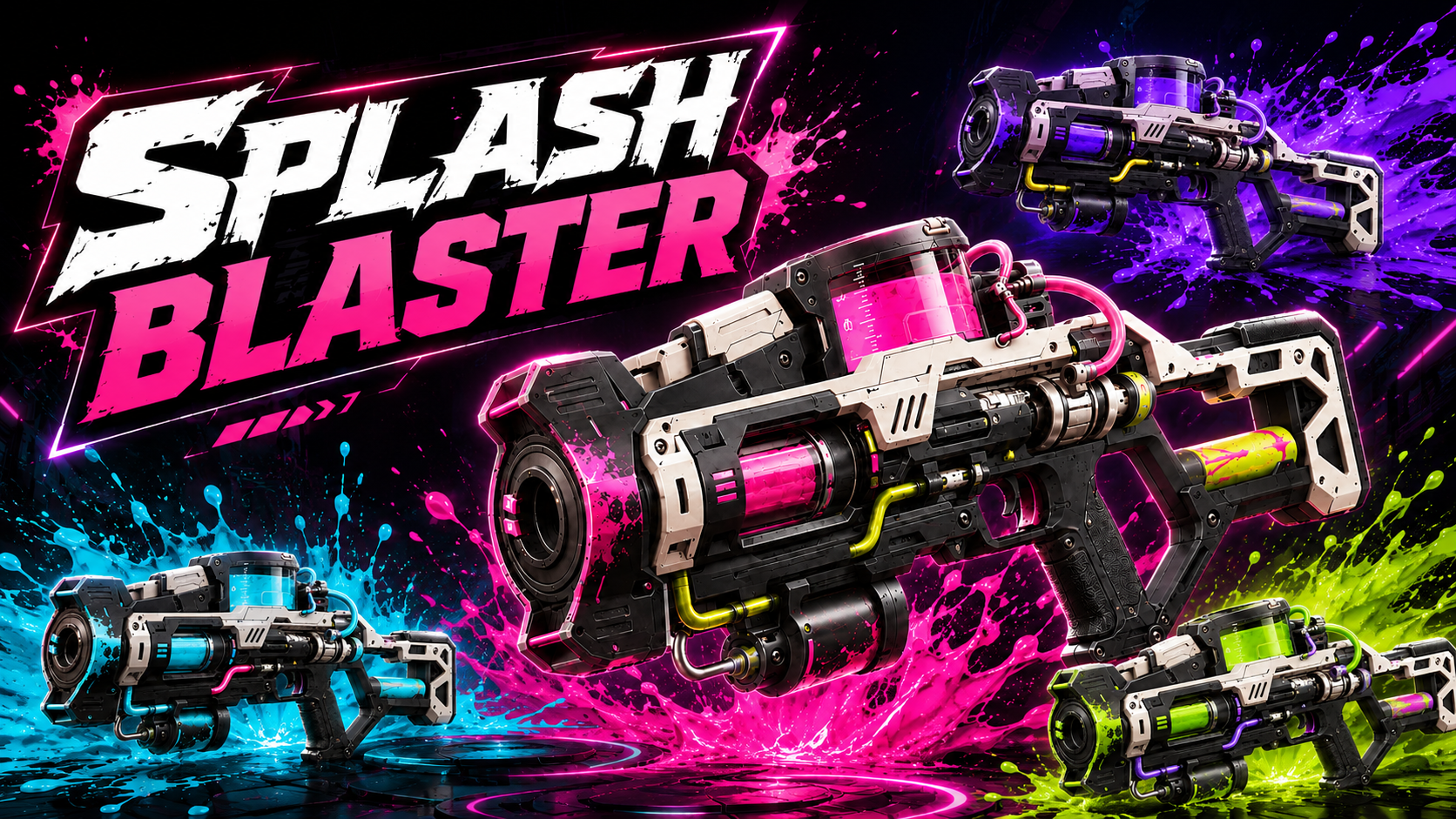
SplashBlaster for Roblox | Paint Gun System
Roblox Creator Tools / Paint Gun System
SplashBlaster for
Roblox creators.
Add a colorful paint gun system to your Roblox experience.
SplashBlaster lets players fire paint shots, create paint splat
visuals, use ammo and reload behavior, and bring a fun
paint-blaster feeling to arenas, mini-games, team games,
and playful action maps.
01
What is this asset?
SplashBlaster is a Roblox paint gun Tool designed for games
that need colorful, easy-to-understand paint action. Players
can shoot paint, see clear paint splat feedback, and enjoy
a weapon-like tool that feels playful instead of only
combat-focused.
It is a good fit for creators who want a fun visual feature
for team arenas, paint battles, mini-games, lobby toys,
or game modes where covering the map with color makes the
experience more exciting.
02
Main Features
Paint splat shooting
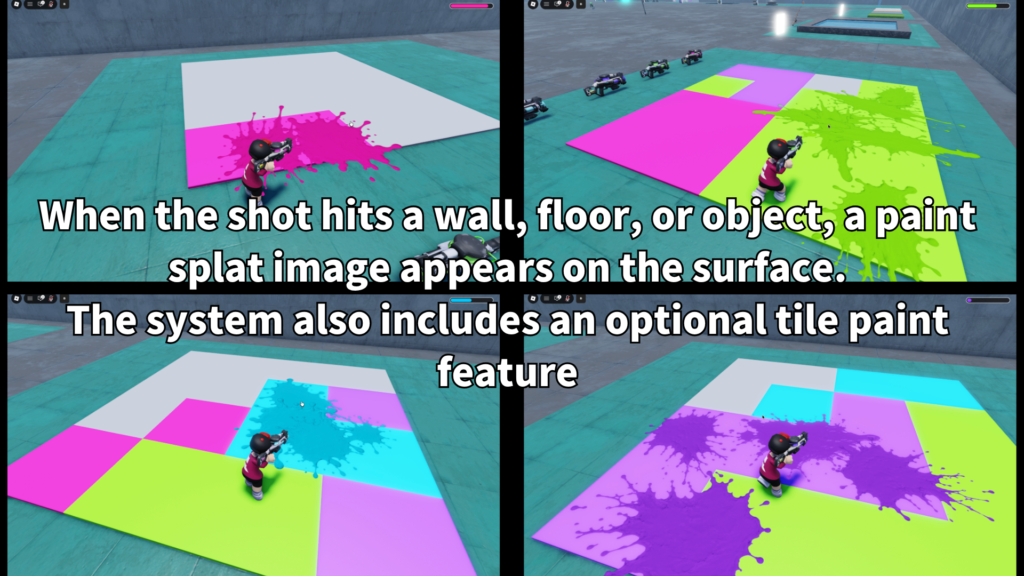
Players can fire paint shots and create visible splat
effects on the world.
Screen paint feedback
A screen paint effect can help players instantly feel
when paint action affects them.
Ammo and reload
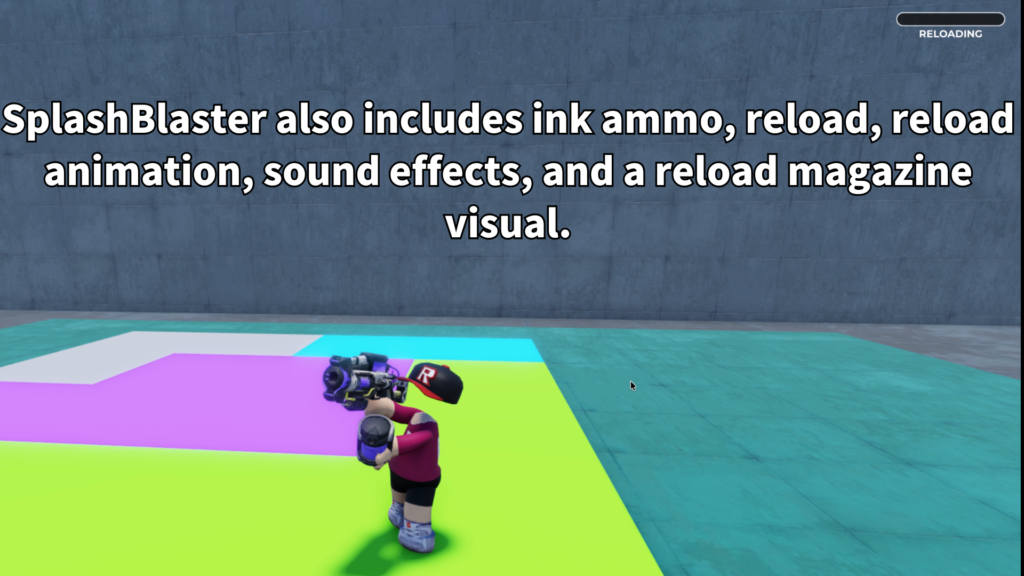
The tool includes ink-style ammo behavior and reload
flow for a more complete weapon feel.
- Paint gun Tool for Roblox
- Colorful paint splat visuals
- Screen paint effect support
- Ink ammo display
- Reload behavior
- Reload magazine visual support
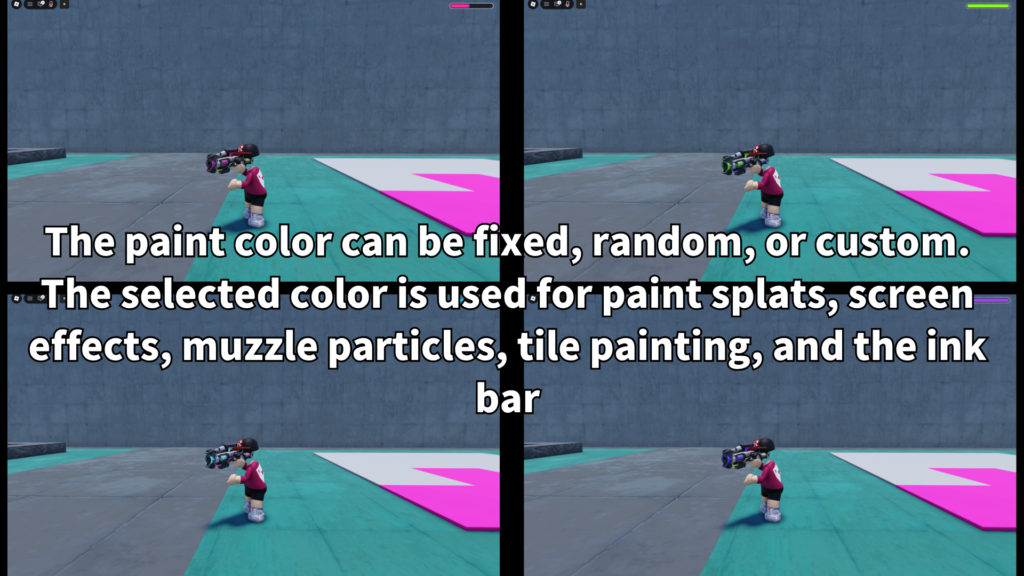
- Fixed, random, or custom paint colors
- Optional tile color painting
03
Paint splat gameplay
SplashBlaster is designed around visible paint feedback.
Instead of only firing an invisible hit, players can see
paint splats appear, making the tool more satisfying and
easier to understand during fast gameplay.
This makes it useful for paint battle maps, colorful team games,
target practice, casual party games, or any experience where
the map should become more lively as players keep shooting.
-
Paint shots
Players can fire colorful paint from the Tool. -
Splat visuals
Paint feedback appears clearly in the world. -
Screen feedback
Players can receive a screen paint effect during paint action. -
Playful weapon feel
The system works well as a fun paint blaster instead of a serious weapon.
04
Color modes and tile painting
SplashBlaster can be adjusted for different paint styles.
Creators can use a fixed color, random paint colors, or custom
color setups depending on the type of game they are building.
The system can also support optional tile color painting.
This is useful when you want the paint gun to do more than
create temporary splat visuals.
-
Fixed color
Good for a single team, single weapon, or simple paint style. -
Random colors
Good for party maps, toy-like tools, and colorful arenas. -
Custom colors
Good when each weapon or game mode needs its own look. -
Team-style colors
Useful for games where color identity matters. -
Optional tile painting
Useful for color capture maps, paint-based goals, or simple territory ideas. -
Color-based rules
Paint action can become part of the game objective.
05
Customizable settings
Creators can adjust SplashBlaster to fit their own game style.
The main settings focus on paint behavior, color style, ammo,
reload, and optional painting rules.
-
Paint color mode
Choose fixed, random, or custom color behavior. -
Ammo amount
Adjust how many shots players can fire before reload. -
Reload time
Control how long reloading takes. -
Shot interval
Adjust how quickly players can fire paint. -
Paint splat visuals
Tune the look and feel of paint feedback. -
Screen paint effect
Adjust the player feedback effect. -
Tile painting
Enable or tune paint-based map interaction. -
Sounds
Replace firing and reload sounds to match your game.
06
Gallery & Demo
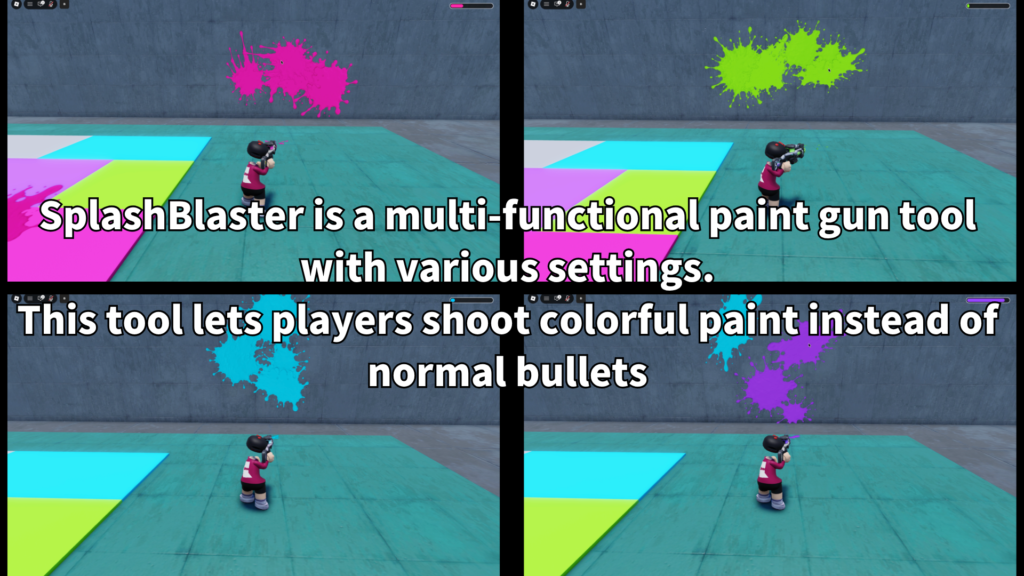
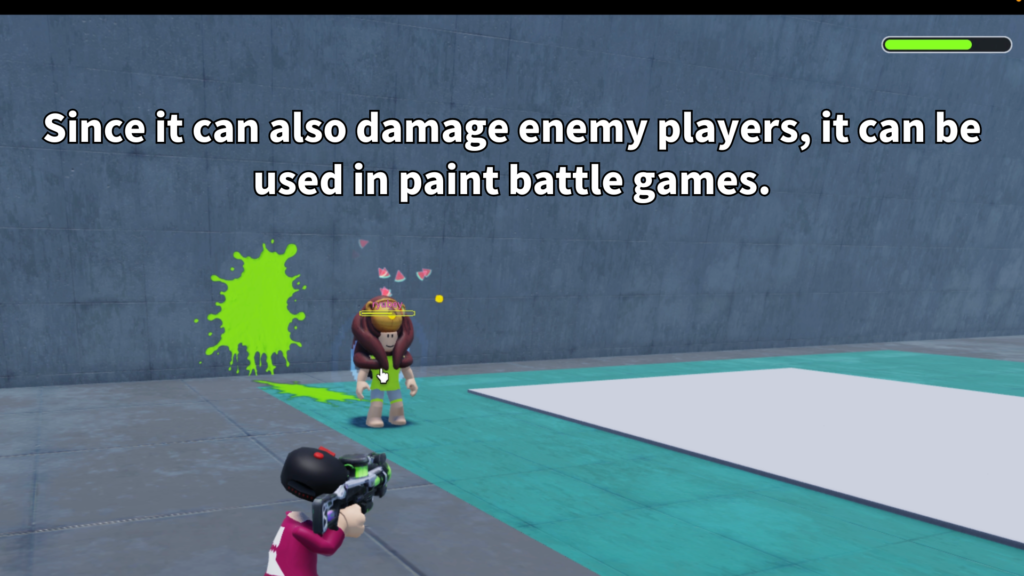
See SplashBlaster in action with paint shots, splat visuals,
screen feedback, reload behavior, colorful effects, and playful
paint gun gameplay.
GAMEPLAY VIDEO
Watch the paint blaster
in action.
See paint shots, splat visuals, screen feedback,
ammo and reload behavior, and the general paint gun
gameplay flow in this short demonstration.
07
Ammo and reload feel
The tool includes ammo and reload behavior so SplashBlaster
feels more complete than a simple effect-only item. Players
can shoot, watch their ammo state, and reload when needed.
-
Ink-style ammo
Useful for paint gun gameplay. -
Reload behavior
Adds pacing and prevents endless shooting. -
Reload visual support
Helps make the reload moment easier to understand. -
Mobile reload support
Useful for games that support phone and tablet players.
08
Best use cases
SplashBlaster is a good fit for Roblox games that need colorful
action, playful shooting, or paint-based visual feedback.
- Paint battle arenas
- Team color games
- Mini-game maps
- Party game tools
- Lobby toy weapons
- Target practice stages
- Color capture games
- Paint-based challenge rooms
09
Why creators may like it
SplashBlaster is easy to show in screenshots and short videos
because the main effect is visual. Players shoot, paint appears,
the screen can react, and the arena becomes more colorful as
the game continues.
It also gives creators a flexible base for different types of
paint gameplay. You can use it as a simple fun tool, a team
weapon, a mini-game mechanic, or a starting point for a larger
paint-based system.
SPLASHBLASTER
Add a colorful paint blaster
to your Roblox game.
SplashBlaster is available on the Roblox Creator Store.
Use it to add paint splats, screen paint feedback, ammo and
reload behavior, color modes, and optional tile painting to
your Roblox experience.