MangaPop | 3D Manga Onomatopoeia
Roblox Creator Tools / 3D Manga Effect System
MangaPop for
Roblox creators.
Bring the energy of Japanese manga into your Roblox
experience. MangaPop adds animated 3D manga words,
sound effects, automatic action reactions, and a manual
popup menu for impact, tension, surprise, movement,
comedy, and dramatic scenes.
01
What is MangaPop?
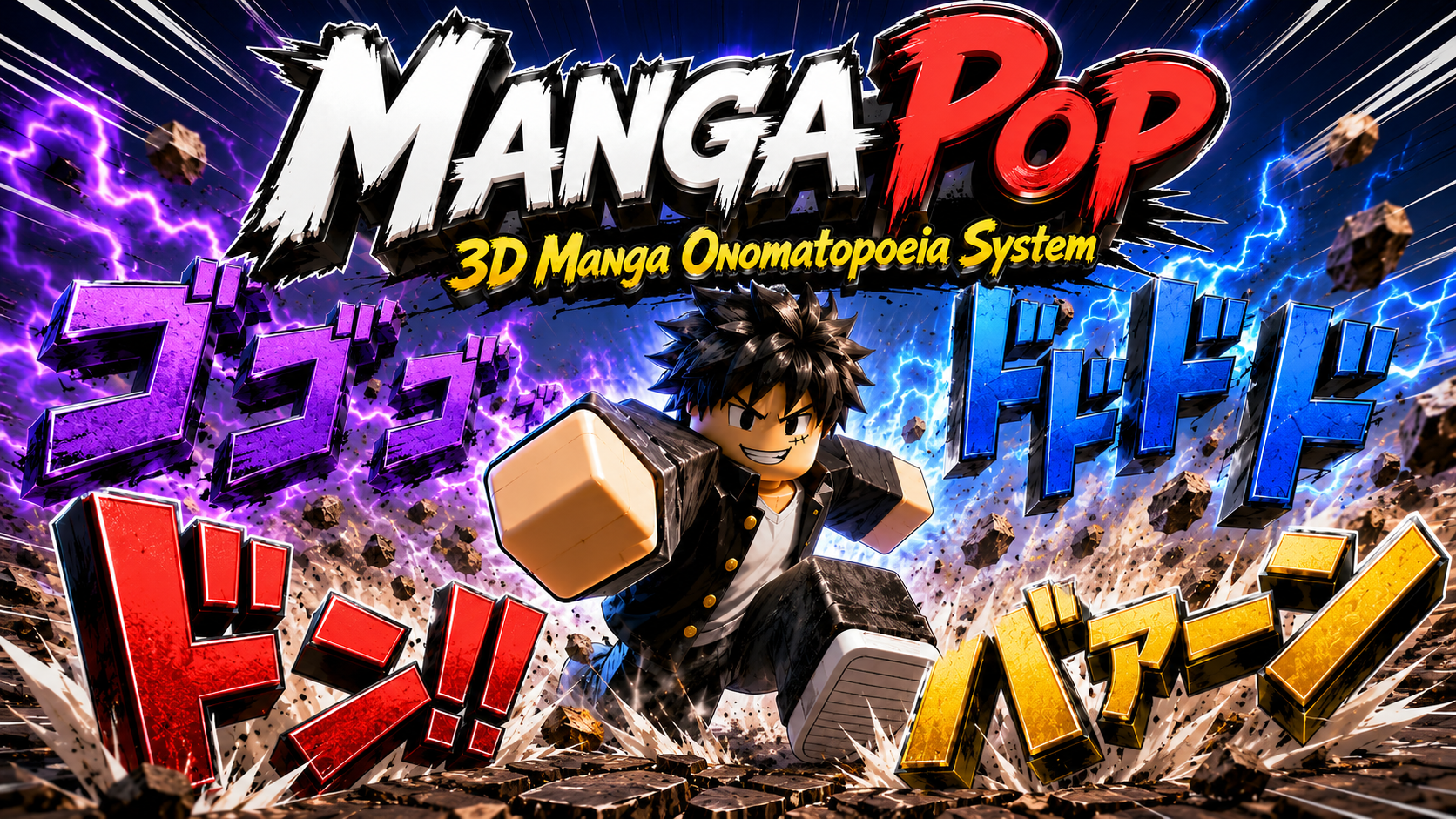
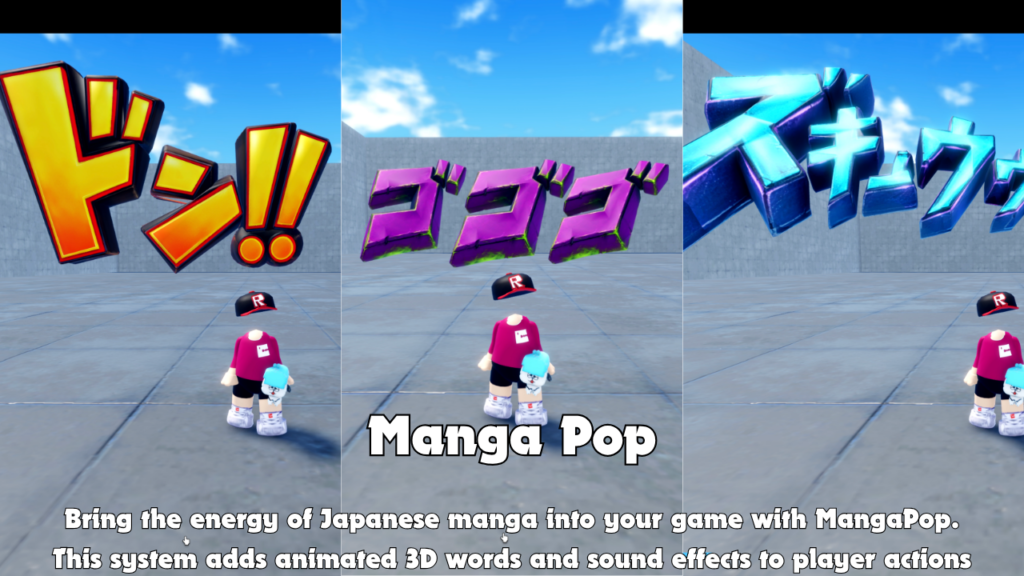
MangaPop is a Roblox visual effect system that displays
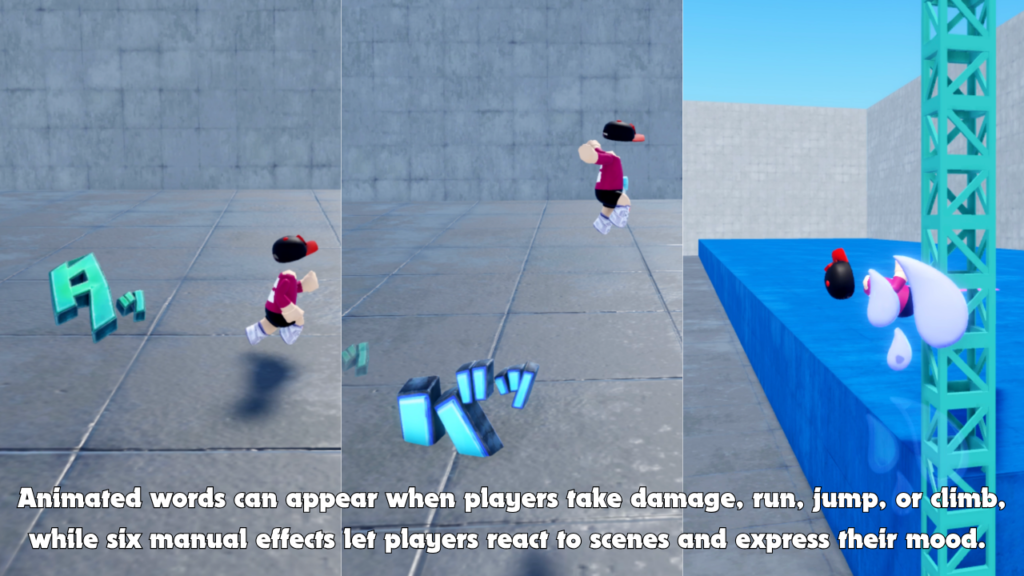
animated 3D manga-style words around players. Effects
can appear automatically when players take damage,
run, jump, or climb.
Players can also open the MangaPop menu and select
manual effects such as Don, Dododo, Gogo, Zawa,
Zukyun, and Baan.
This gives creators a way to add reaction, mood,
comedy, impact, tension, and dramatic manga styling
without creating a complete 3D effect system from zero.
02
Main Features
Automatic action effects
Animated manga words can react automatically
when a player takes damage, runs, jumps,
or climbs.
Manual manga effect menu
Players can open a menu and choose from
six manual effects for reactions, roleplay,
comedy, and dramatic scenes.
Bonus MangaSword Tool
The package includes MangaSword as a bonus
Tool that can be used together with MangaPop
or independently.
- Animated 3D manga word effects
- Automatic damage reaction effects
- Automatic running effects
- Automatic jump effects
- Automatic climbing effects
- Manual player effect menu
- Sound effect support
- Camera-facing or character-facing visuals
- Custom rotation and formation settings
- Bonus MangaSword Tool included
03
How It Works
Automatic Manga Effects
MangaPop can react to normal player actions
automatically. This helps simple gameplay moments
feel more energetic and easier for players to notice.
-
Damage effects:
Manga words can appear when a player takes
enough damage. -
Running effects:
Motion-style words can appear while a player
is moving fast enough. -
Jump effects:
A manga effect can appear when the player jumps. -
Climb effects:
An effect can appear while the player is climbing. -
Cooldown settings:
Damage, running, jumping, and climbing effects
can use separate timing values. -
Visible distance:
Automatic effects can be limited to nearby players.
Manual Effect Menu
Players can open the MangaPop menu and select an effect
manually. This is useful for reacting to a scene,
showing a mood, strengthening a funny moment,
or adding manga-style expression during roleplay.
-
Don:
A strong impact-style effect for dramatic moments. -
Dododo:
A repeated tension effect that can appear in depth. -
Gogo:
A surrounding pressure effect for intense scenes. -
Zawa:
A quiet tension or uneasy atmosphere effect. -
Zukyun:
A sharp emotional or dramatic reaction effect. -
Baan:
A bold effect for impact and reveal moments.
Formation Options
Effects can use one large word or multiple words
arranged in different formations. These options can
create impact, movement, tension, or surrounding
pressure.
-
Single:
Shows one main effect for clean impact. -
Horizontal:
Places multiple effects side by side. -
Depth:
Places repeated effects in a forward depth style. -
Surround:
Places effects around the player for a stronger
atmosphere.
Facing Options
MangaPop effects can face the camera or follow the
character’s facing direction. Camera-facing mode
improves readability, while character-facing mode
connects the effect more closely to the player’s
movement direction.
- Camera-facing display mode
- Character-facing display mode
- Visual rotation offset
- Random rotation variation
04
Customizable Settings
3D Visuals and Sound Effects
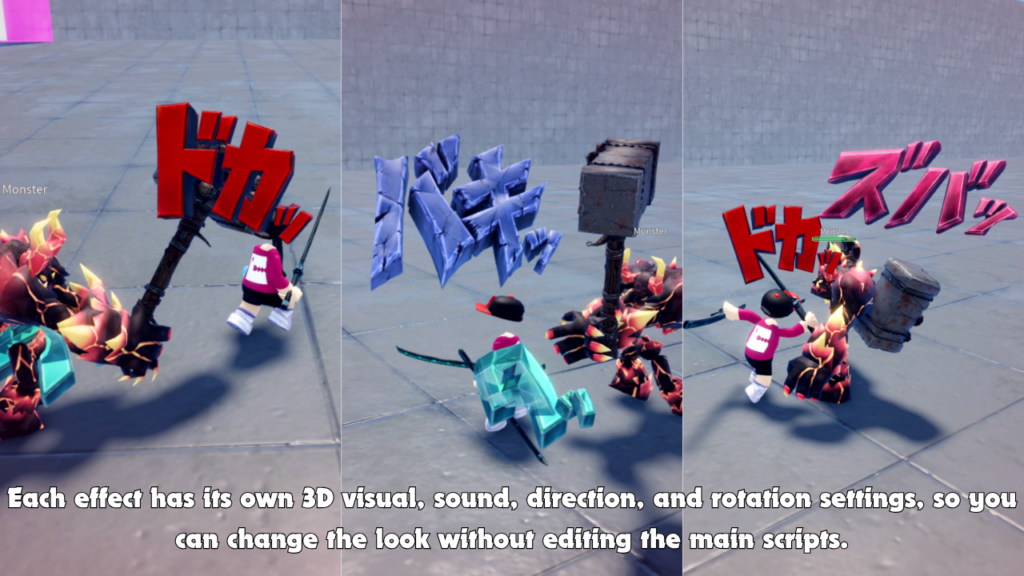
Each MangaPop effect can use its own 3D visual and
sound. The visual appears near the player, pops into
view, holds for a short time, moves slightly, fades out,
and then cleans itself up.
Because the words appear as animated objects in the
world rather than flat screen overlays, nearby players
can see and hear the same effect.
- 3D word model support
- Pop-in animation
- Hold and fade-out timing
- Movement offset settings
- Individual sound for each effect
- Automatic effect cleanup
Visibility and Performance
Creators can limit how far effects are visible and
how many active 3D words can exist from one source
at the same time.
-
AutomaticVisibleDistance:
Controls how far automatic effects can be seen. -
ManualVisibleDistance:
Controls how far manually selected effects
can be seen. -
MaxActiveGlyphsPerSource:
Limits the number of active word effects
from one source. -
GuiEnabled:
Enables or disables the manual effect menu.
Custom Button Images
The manual effect menu can use custom button images.
Creators can replace the menu opener and individual
effect buttons with their own image assets.
- Open button image setting
- Don button image setting
- Dododo button image setting
- Gogo button image setting
- Zawa button image setting
- Zukyun button image setting
- Baan button image setting
- Fallback text when no image is assigned
Profile-Based Customization
Each effect can have its own profile settings.
This allows creators to change the appearance and
behavior of individual manga words without repeatedly
editing the main scripts.
- Sound on or off for each effect
- Facing mode for each effect
- Visual rotation offset for each effect
- Manual effect count settings
- Manual formation settings
- Separate automatic and manual profile folders
05
Best Use Cases
MangaPop is a good fit for Roblox experiences where
style, reaction, comedy, impact, or dramatic timing
matters.
- Anime-style games
- Manga-inspired action games
- Roleplay games
- Comedy maps
- Adventure games
- Sword battle games
- Boss battle scenes
- Cutscene-like moments
- Lobby expression tools
- Player reaction systems
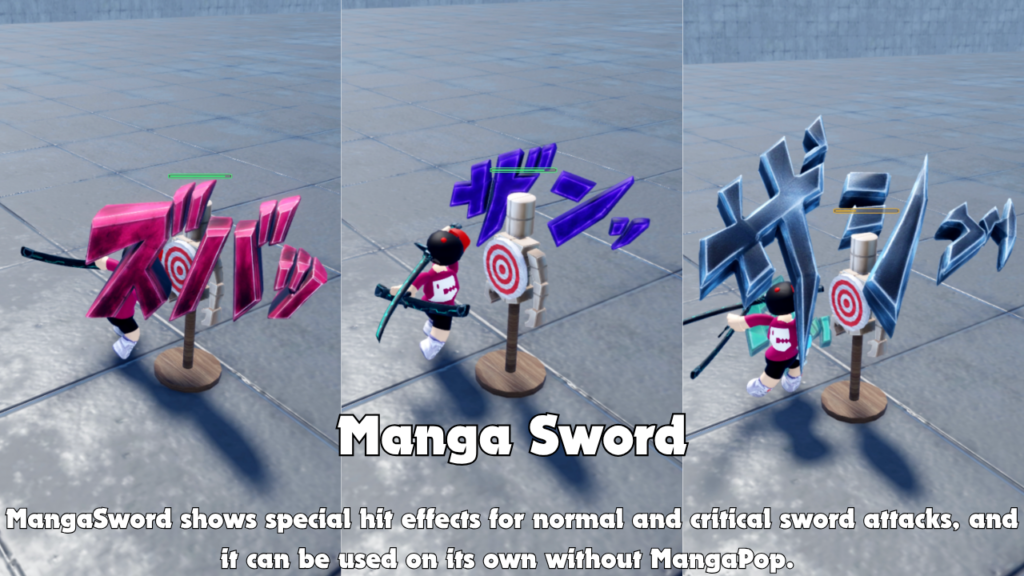
Bonus MangaSword Tool Included
The package also includes MangaSword as a bonus Tool.
MangaSword displays special effects for normal and
critical sword attacks, helping sword combat feel
more dramatic and manga-like.
MangaSword can be used together with MangaPop or
independently when only the sword hit effects are
needed. MangaPop remains the main system, while
MangaSword is included as an additional item.
- Bonus MangaSword Tool
- Normal hit effect support
- Critical hit effect support
- Can be used with MangaPop
- Can also be used separately
- Designed for manga-style sword attacks
Why Creators May Like It
MangaPop turns ordinary player actions into more
expressive moments. Running can feel faster, jumping
can feel sharper, damage can feel more dramatic,
and manual effects give players another way to react
to the world around them.
Creators can use automatic effects, manual effects,
or both. Visuals, sounds, distance limits, rotations,
and formations can be adjusted to suit the experience.
06
Gallery & Demo
See MangaPop’s animated 3D words, automatic player
reactions, manual manga effects, visual styles,
and the included MangaSword Tool.
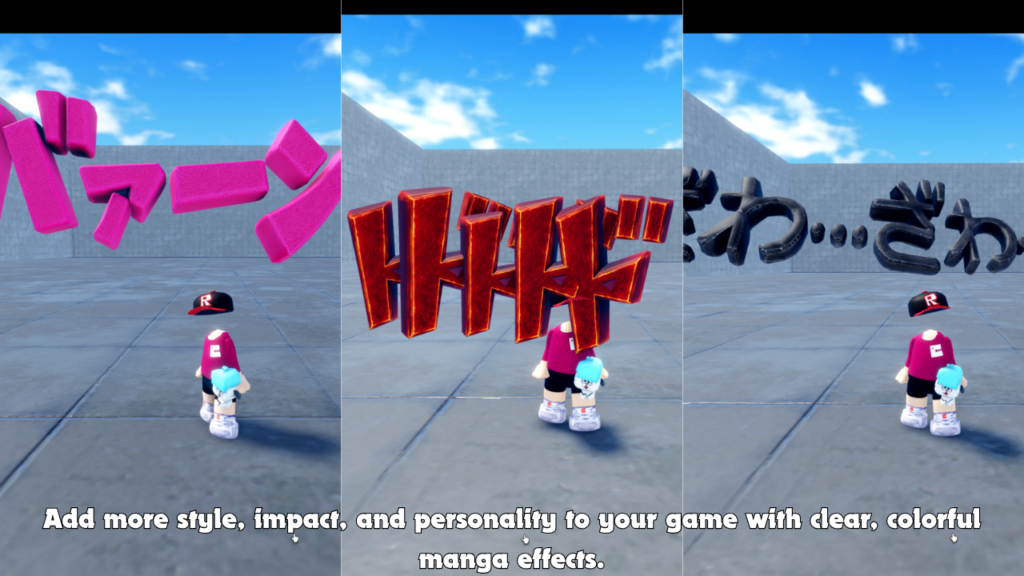
DEMO VIDEO
Watch MangaPop
in action.
See the animated 3D manga words, automatic
action reactions, manual effect options,
sound-supported visuals, and bonus MangaSword
gameplay in this demonstration.
MANGAPOP
Add manga-style impact to
your Roblox game.
Use MangaPop to add animated 3D manga words,
automatic player reactions, manual expression effects,
sound-supported visuals, flexible customization,
and a bonus MangaSword Tool to your Roblox experience.